
Last updated: July 2026
Gamma AI review 2026: pricing plans, the credit system explained, features vs Presentations.AI, and our honest final verdict on this tool.
Gamma AI turns a rough idea into a polished, presentable deck in under a minute. Type a prompt, and a full set of slides appears, no design skills required. This Gamma AI review breaks down exactly how its credit-based pricing works, since it’s more layered than the headline numbers suggest, and shows how the platform stacks up against dedicated competitors.

What Is Gamma AI?
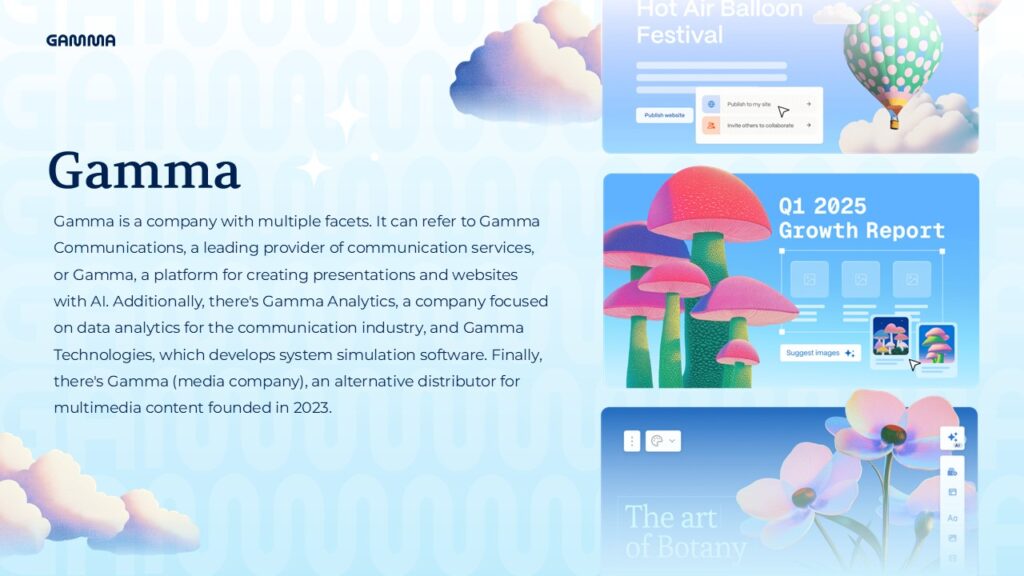
Gamma AI is an AI content platform that generates presentations, documents, websites, and social posts from a single text prompt. Founded in San Francisco in 2020, Gamma has expanded well beyond its original slide-deck focus. Today, the company refers to any generated content — a presentation, a document, or a simple website — as a “Gamma.” The core promise stays consistent across formats: describe what you need, and Gamma AI’s layout engine handles structure and design automatically.
Unlike traditional slide software, Gamma AI works on a card-based format rather than fixed slide dimensions. This speeds up generation considerably. However, it occasionally creates friction when exporting to standard PowerPoint files, something worth testing with your own content before relying on it for a high-stakes presentation.
How Does Gamma AI’s Pricing Actually Work?
Gamma AI’s pricing page shows four simple numbers — Free, Plus, Pro, Ultra — but the underlying credit system has more moving parts than that headline suggests.
On the free plan, nearly every action consumes credits individually. Generating a new Gamma costs roughly 40 credits. Adding a card costs 5. An AI chat suggestion costs 10. Free-plan credits are also a one-time allowance of 400 total, not a monthly refresh. Once they’re used, they’re gone unless you upgrade.
On paid plans, however, the rules flip entirely. Standard-model presentations and images become unlimited and included in the subscription. Only three things still consume credits: the AI Agent used for post-generation edits, Ultra-tier AI models, and API calls. This distinction is easy to miss on a first read, but it’s the detail that actually determines whether a paid plan feels generous or restrictive day to day.
Gamma AI Pricing: Every Plan Explained
Here’s exactly what each current Gamma AI plan includes.
| Gamma AI Plan | Price | Monthly credits | Key features |
| Free | $0 | 400 one-time | Gamma branding on output, credits spent per action |
| Plus | $12/month | 20/month | Unlimited standard generation, branding removed |
| Pro | $25/month | 60/month | Higher card limits, priority generation |
| Ultra | $100/month | 20.000/month | Up to 75 cards/prompt, Studio Mode |
| Team | $20/seat/month (min. 2) | 6.000/seat | Custom theme, shared folders, admin controls |
| Business | $40/seat/month (min. 10) | Custom | Enterprise-grade controls |
Two things stand out here. First, Gamma AI’s Ultra plan is currently monthly-only, with no annual discount option yet, unlike Plus, Pro, and Team. Second, the jump from Free’s one-time 400 credits to Plus’s ongoing allowance matters less for raw numbers and more for the underlying rule change: paid plans make standard generation effectively unlimited.
Gamma AI Features: What You Actually Get
Gamma AI’s feature set covers far more than a single format.
Prompt-to-deck generation. Describe a topic, and Gamma AI generates a complete, structured presentation in under a minute.
Multiple content formats. Beyond presentations, Gamma AI generates documents, websites, and social posts from the same workflow.
AI Agent editing. On paid plans, the Agent lets you make targeted edits using natural-language instructions, rather than adjusting elements manually.
Card-based flexible layout. Rather than rigid slide dimensions, Gamma AI’s cards adapt content length automatically, speeding up generation.
Studio Mode. Reserved for Ultra, this enables cinematic, full-image slide layouts suited to social content.
Team branding. Company-wide themes and admin controls become available at Team level, though individual users still select themes manually per presentation, even on team plans.
Gamma AI Strengths
Reviewers consistently highlight the same advantages.
Fast, credible-looking output. Prompt-to-deck generation in under a minute remains Gamma AI’s clearest selling point.
No credit card for the free plan. Unlike some competitors — one review specifically flags Beautiful.ai’s requirement of a credit card upfront with automatic billing if forgotten — Gamma AI’s free plan needs no card at all.
Flexible beyond slides. Generating documents, websites, and social posts from one platform gives Gamma AI broader utility than single-purpose tools.
Reasonable entry pricing. At $12/month, Gamma AI’s Plus tier undercuts several competitors while including unlimited standard generation.
Gamma AI Weaknesses
A few drawbacks are worth knowing before you subscribe.
PowerPoint export can introduce friction. Because Gamma AI’s format is card-based, converting to standard PowerPoint sometimes causes unexpected layout issues.
No workspace-level brand enforcement. Even on Team plans, users choose themes manually rather than a company brand applying automatically.
One-time free credits. Gamma AI’s 400 free credits are a lifetime total, not a monthly refresh.
Ultra lacks annual billing. At $100/month with no discount currently available, Gamma AI’s top tier costs more than comparable competitors offering annual savings.
Gamma AI vs. Presentations.AI and Beautiful.ai
The most direct competitor is Presentations.AI, built specifically around business presentations rather than Gamma AI’s broader approach. Presentations.AI’s Pro plan runs around $20/month billed annually, positioned as more design-focused, with full content ownership on every plan — a detail some reviewers say helps it clear IT and legal review more easily.
The practical distinction comes down to breadth versus depth. If you need quick internal updates or an occasional social post alongside decks, Gamma AI’s flexibility makes sense. If your priority is consistently polished, brand-compliant business presentations specifically, a dedicated tool may produce more reliable results over time.
Beautiful.ai is a second common comparison, though its credit-card-required trial is a meaningfully riskier commitment than Gamma AI’s no-card-required free plan.
Who Is Gamma AI Actually For?
Marketers, students, and founders needing quick decks without design expertise are Gamma AI’s core audience.
Content creators managing multiple formats benefit from generating presentations, documents, and social posts from one platform.
Small teams without a designer get real value from Plus or Pro, where unlimited standard generation removes credit-tracking friction.
Organizations with strict brand requirements should weigh Gamma AI’s lack of workspace-level enforcement against dedicated alternatives.
Frequently Asked Questions About Gamma AI
Is Gamma AI free to use? Yes. Gamma AI’s free plan includes 400 one-time credits, with no credit card required to sign up.
How much does Gamma AI Pro cost? Gamma AI Pro costs $25/month and includes 60 monthly credits, plus higher card limits than Plus.
Does Gamma AI credit usage work the same on free and paid plans? No. On free, nearly every action consumes credits. On paid plans, standard generation becomes unlimited, and only the Agent, Ultra models, and API calls still consume credits.
Can Gamma AI export to PowerPoint? Yes, but the card-based format may need layout adjustments after exporting — worth testing with your own content first.
Is Gamma AI better than Presentations.AI? It depends on your use case. Gamma AI offers broader flexibility at a lower price, while Presentations.AI focuses exclusively on brand-consistent business presentations.
Does Gamma AI offer team pricing? Yes. Team plans start at $20/seat/month (minimum 2 seats), and Business starts at $40/seat/month (minimum 10 seats).
Getting the Most Out of Gamma AI
A few habits make Gamma AI meaningfully more useful. First, test your export workflow early. Since PowerPoint conversion can shift layouts, exporting a sample deck before an important presentation avoids last-minute surprises. Second, use the AI Agent for small edits rather than regenerating an entire Gamma from scratch, since regeneration burns far more credits than a targeted edit. Third, standardize a theme manually across your team’s presentations, since Gamma AI won’t enforce this automatically even on Team plans. Finally, track which format you use most — presentations, documents, or social posts — since that usage pattern determines whether Plus or Pro offers better value for your specific workflow.
Gamma AI for Teams: A Closer Look
Teams deserve special attention, since Gamma AI’s structure changes meaningfully once multiple people share a workspace. On Team plans, each seat gets its own 6,000 monthly credits, custom company themes become available, and admin controls let a workspace owner manage billing centrally. As a result, a marketing team of five can share consistent branding elements while still generating content independently.
However, this doesn’t mean brand consistency happens automatically. Even on Team and Business plans, individual users still select a theme manually for each new Gamma they create. In practice, this means a team needs an internal process — a shared style guide, or a designated “approved theme” everyone defaults to — since Gamma AI itself won’t enforce that choice for you. Teams that skip this step often end up with visually inconsistent decks despite paying for a shared plan.
For teams evaluating Team versus Business, the decision mostly comes down to seat count and governance needs. Team caps out at 20 seats, which comfortably covers most small-to-mid-size marketing or sales teams. Business, starting at a 10-seat minimum, targets larger organizations needing enterprise-grade controls beyond what Team offers.
Gamma AI Alternatives Worth Knowing
Gamma AI isn’t the only serious option, and it helps to know where the alternatives stand. Presentations.AI, covered above, remains the closest direct competitor for business-focused decks specifically. Beautiful.ai takes a different approach, offering unlimited AI generation on every paid plan with no credit system at all, though it requires a credit card for its trial and has no free plan whatsoever. Canva’s AI presentation features, meanwhile, appeal to users who already rely on Canva for other design work, bundling slide generation into a broader design suite rather than a dedicated AI-first workflow.
For most users, the decision comes down to priorities. Gamma AI wins on speed and format flexibility: presentations, documents, websites, and social posts from one prompt-based workflow. A narrower tool might edge ahead on one specific need, like Presentations.AI’s brand governance or Beautiful.ai’s uncapped generation model, but few competitors match Gamma AI’s combination of speed and multi-format range.

Our Final Verdict on Gamma AI
Bringing this Gamma AI review together, here’s how it scores across the categories that matter most:
| Category | Score (out fo 5) | Why |
| Generation speed & quality | 4.5 | Genuinely fast, credible output with minimal effort |
| Pricing transparency | 3.5 | Reasonable price, but the credit system needs real reading |
| Feature depth | 4 | Multi-format flexibility is a real differentiator |
| Ease of use | 4.5 | No design skill required, prompt-to-deck is fast |
| Value for money | 4 | Strong at Plus/Pro; Ultra’s lack of annual billing is a drawback |
| Overall | 4.1/5 | A fast, flexible AI content platform for teams valuing speed and variety |
Bottom line: Gamma AI earns its reputation as one of the fastest ways to go from idea to deck, and its multi-format flexibility sets it apart from single-purpose tools. Teams with strict brand requirements should weigh a dedicated alternative carefully, but for everyday use, Gamma AI’s speed and pricing are hard to beat.
_________________________________________________________________________________________________________
Transparency note: This Gamma AI review draws on the platform’s official pricing page, independent 2026 comparison reviews, and verified third-party analyses, rather than first-hand, long-term production use across every paid tier. Pricing and credit allowances change over time — always confirm current details on Gamma AI’s official pricing page before subscribing.