
Last updated: July 2026
Adobe Firefly takes a different bet than most AI image generators. Instead of competing purely on artistic quality, it leans hard into commercial safety, training exclusively on licensed and public domain content. This Adobe Firefly review breaks down what that actually means in practice, how the platform’s restructured credit system works in 2026, and whether it beats Midjourney for your specific needs.
What Is Adobe Firefly?
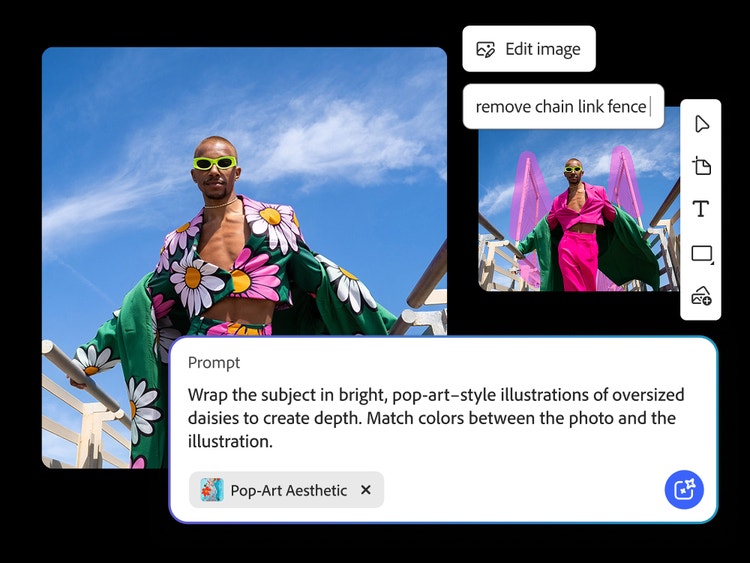
Adobe Firefly is Adobe’s generative AI platform for creating images, videos, vectors, and text effects. It’s available as a standalone web app, integrated directly inside Photoshop and Illustrator, and via API for enterprise use. What sets Adobe Firefly apart structurally is its commercial safety guarantee. Because the underlying models train exclusively on Adobe Stock, public domain content, and licensed material, businesses can use Firefly-generated images commercially with meaningfully lower legal risk.
According to Forrester research cited by industry reviewers, Adobe Firefly offers up to 577% ROI potential for teams needing legally defensible AI content at scale. That figure reflects Firefly’s positioning as an enterprise-safe tool first, and a general creative platform second. For businesses weighing multiple AI image tools against each other, this ROI framing matters more than a simple feature checklist, since the real cost of legal exposure rarely shows up until much later.
How Adobe Firefly’s Pricing Actually Works
Adobe restructured Firefly’s pricing during 2026, moving to a two-tier structure: unlimited access to standard generative features, plus a separate pool of premium credits that only get consumed by advanced features like text-to-video and partner AI models.
This distinction matters enormously. If your work is mostly standard image generation, a lower-tier plan can feel effectively unlimited. However, the moment you start generating video clips or using partner models, premium credits start draining — and draining faster than expected, since fast-mode generation consumes 2 credits instead of 1, effectively halving your usable allocation.
Adobe Firefly Pricing: Every Plan Explained
Here’s exactly what each current Adobe Firefly plan includes.
| Adobe Firefly Plan | Price | Premium credits/month | Key features |
| Free | $0/month | 25 | Watermarked, basic text-to-image |
| Standard | $9.99/month | 2,000 (~20 clips) | Unlimited standard generation, Adobe Express included |
| Pro | $19.99/month | 4,000 (~40 clips) | Full Photoshop on web and mobile |
| Pro Plus | $49.99/month | 10,000 (~100 clips) | Team collaboration |
| Premium | $199.99/month | 50,000 (~500 clips) | Highest-volume production tier |
One detail matters for anyone already invested in Adobe’s ecosystem: Creative Cloud subscriptions already include Firefly premium credits, typically 500-1,000 monthly, and Creative Cloud Pro includes full premium feature access without any additional subscription. As a result, a standalone Firefly plan mainly matters if you don’t already use Photoshop or Illustrator.
A few billing gotchas deserve attention. First, premium credits don’t roll over between cycles. Second, fast-mode generation’s 2x credit cost is easy to overlook. Third, Standard-tier users don’t get full Photoshop access — that requires Pro at $19.99/month, a detail some subscribers find confusing after signing up expecting broader app access.
Adobe Firefly Features: What You Actually Get
Adobe Firefly’s feature set spans well beyond simple image generation.
Text-to-image and Generative Fill. Firefly’s core standard features let users generate original images or edit existing ones, both included unlimited on every paid plan.
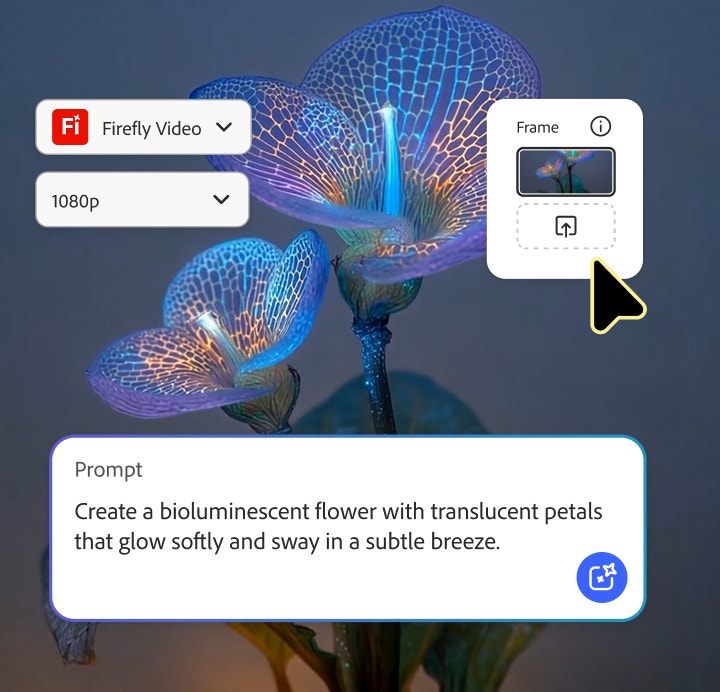
Text-to-video generation. Premium-credit-metered video lets users create short clips directly from text prompts.
Partner AI model access. Rather than limiting users to Adobe’s own models, Firefly gives access to third-party models from Google, OpenAI, and Flux through the same interface.
Deep Creative Cloud integration. Firefly’s generative tools work natively inside Photoshop and Illustrator on Pro tier and above.
Content Credentials. Adobe attaches metadata documenting AI origin, supporting transparency as disclosure expectations grow across platforms.
Adobe Firefly Strengths
Reviewers consistently highlight the same advantages.
Commercial safety is a genuine differentiator. Training exclusively on licensed content gives Adobe Firefly a legal risk profile few competitors can match.
Deep integration for existing Adobe users. For anyone already paying for Creative Cloud, Firefly’s bundled credits can make a standalone subscription unnecessary.
Broad model access in one interface. Consolidating multiple AI generation capabilities into a single credit system saves juggling separate subscriptions.
Clear entry-level pricing. At $9.99/month, Firefly Standard undercuts the category median while including a useful credit allowance.
Adobe Firefly Weaknesses
A few drawbacks deserve honest attention.
The credit system causes real confusion. Multiple reviewers report subscribers expecting fuller feature access on Standard, only to discover full Photoshop requires Pro.
Fast mode quietly doubles consumption. Defaulting to faster speeds can silently cut a monthly allowance in half.
No credit rollover. Unused credits reset monthly, penalizing anyone with inconsistent usage patterns.
Artistic quality trails dedicated competitors. Independent comparisons note Midjourney generally produces stronger results for purely artistic work.
Adobe Firefly vs. Midjourney
The most common comparison is Midjourney, and the two tools optimize for different priorities. Midjourney tends to produce stronger artistic results, but has no free tier and lacks Firefly’s IP indemnification. Firefly’s clear advantage is Content Credentials and licensed-content training — for businesses generating marketing imagery at scale, that legal defensibility often outweighs a modest gap in artistic polish.
For creative professionals weighing token-based alternatives, a platform like Leonardo AI offers a more generous free tier and broader creative toolkit, but without Firefly’s commercial-safety guarantee.
Who Is Adobe Firefly Actually For?
Businesses generating commercial marketing content are Firefly’s clearest fit, given the legal protection from licensed-content training.
Existing Creative Cloud subscribers should check their included Firefly credits before buying anything additional.
Designers working inside Photoshop and Illustrator benefit most from Pro tier and above, where tools integrate natively.
Purely artistic creators prioritizing image quality above all else may still prefer Midjourney’s generally stronger output.
Frequently Asked Questions About Adobe Firefly
Is Adobe Firefly free to use? Yes. Adobe Firefly’s free plan includes 25 premium credits monthly, though output is watermarked.
How much does Adobe Firefly cost per month? Paid plans start at $9.99/month for Standard, rising to $19.99 for Pro, $49.99 for Pro Plus, and $199.99 for Premium.
Do I need a separate subscription if I have Creative Cloud? Not necessarily. Most Creative Cloud plans already include Firefly premium credits, and Creative Cloud Pro includes full access without any extra subscription.
Is Adobe Firefly commercially safe to use? Yes, this is Firefly’s core differentiator. Training exclusively on licensed content gives businesses meaningfully lower legal exposure.
Do unused Adobe Firefly credits roll over? No. Premium credits reset every cycle on a use-it-or-lose-it basis.
Is Adobe Firefly better than Midjourney? It depends on priorities. Midjourney generally produces stronger artistic results, but Firefly offers real commercial-safety advantages Midjourney doesn’t match.
Getting the Most Out of Adobe Firefly
A few habits make Adobe Firefly meaningfully more useful. First, check your existing Creative Cloud plan before purchasing anything additional, since bundled credits often go unnoticed by subscribers who assume they need a separate purchase. Second, avoid fast mode unless speed genuinely matters, since it silently doubles your credit cost per action and can drain a monthly allowance far faster than expected. Third, confirm whether Standard’s Photoshop limitations affect your workflow before subscribing, rather than discovering the gap afterward and needing to upgrade mid-project. Finally, use Content Credentials proactively in client-facing work, since disclosure expectations around AI-generated content continue to grow across platforms and regulations, and getting ahead of that trend now avoids scrambling to add it later.
Adobe Firefly for Existing Creative Cloud Users: A Closer Look
Creative Cloud subscribers deserve special attention, since Adobe Firefly’s value proposition shifts significantly for anyone already paying for Photoshop or Illustrator. Most Creative Cloud individual plans bundle 500 to 1,000 Firefly premium credits monthly, depending on the specific subscription tier. As a result, many designers already have meaningful Firefly access without realizing it, buried inside a subscription they’re paying for anyway.
However, this bundled access has real limits. Standard Creative Cloud plans typically include fewer credits than a dedicated Firefly Standard subscription, and heavy video generation can exhaust that bundled allowance quickly. Creative Cloud Pro specifically closes this gap, including full premium feature access without needing any additional Firefly purchase at all.
In practice, this means the decision for existing Adobe users comes down to a simple check: log into your Creative Cloud account, review your current Firefly credit balance, and only then decide whether a standalone Firefly plan or a Creative Cloud Pro upgrade makes more sense than paying for a separate subscription entirely.
Adobe Firefly Alternatives Worth Knowing
Adobe Firefly isn’t the only serious option, and it helps to know where the alternatives stand. Midjourney, covered above, remains the strongest pure artistic competitor. Leonardo AI offers a more generous free tier and broader creative toolkit spanning 3D textures, though without Firefly’s commercial-safety guarantee. DALL-E, accessible through ChatGPT Plus, bundles image generation with general AI chat access at $20/month, appealing to users who also want a conversational assistant alongside image tools.
For most businesses, the decision comes down to risk tolerance versus artistic ambition. Adobe Firefly wins decisively on legal defensibility and Creative Cloud integration. A narrower or more artistically ambitious tool might edge ahead on pure creative output, but few competitors match Firefly’s combination of commercial safety and professional design-software integration.
Our Final Verdict on Adobe Firefly
Bringing this Adobe Firefly review together, here’s how it scores across the categories that matter most:
| Category | Score (out of 5) | Why |
| Image & video quality | 3.8 | Solid output; Midjourney edges ahead artistically |
| Commercial safety | 5 | Clear category leader on IP indemnification |
| Pricing transparency | 3 | Credit system causes genuine subscriber confusion |
| Feature depth | 4.3 | Broad partner-model access and Adobe integration |
| Value for existing Adobe users | 4.5 | Many already have meaningful access included |
| Overall | 4.1/5 | The safest commercial choice, particularly for existing Adobe users |
Bottom line: Adobe Firefly’s strongest argument isn’t raw artistic output — it’s meaningfully lower legal risk from licensed-content training. Existing Creative Cloud subscribers should check included credits first, while purely artistic creators may still prefer Midjourney.
_________________________________________________________________________________________________________
Transparency note: This Adobe Firefly review draws on the platform’s official pricing page, independent 2026 pricing analyses, and verified third-party comparisons, rather than first-hand, long-term production use across every paid tier. Pricing and credit allowances change frequently — always confirm current details on Adobe Firefly’s official pricing page before subscribing.