When people ask me which AI assistant to try first, Gemini used to be the awkward answer — the one I’d mention almost as an afterthought after ChatGPT and Claude. That’s changed. Google has spent the last year folding Gemini into nearly every product it owns, restructuring its pricing twice in a matter of months, and pushing out new models fast enough that reviewing it feels like reviewing a moving target. This guide is my attempt to pin down exactly what Gemini is in its current form, what it costs, what it’s actually good at, and where it still falls short.
What Is Google Gemini?
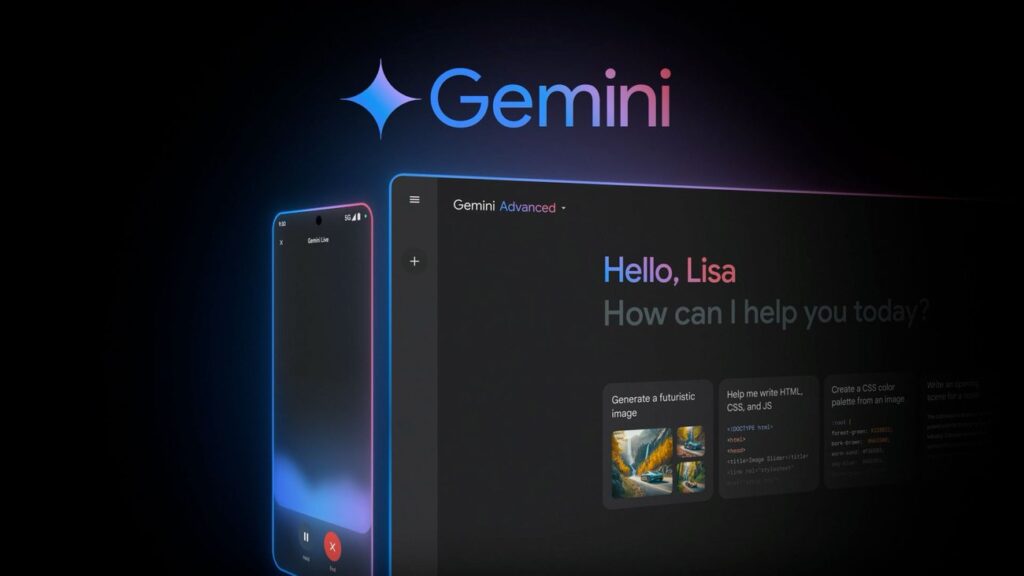
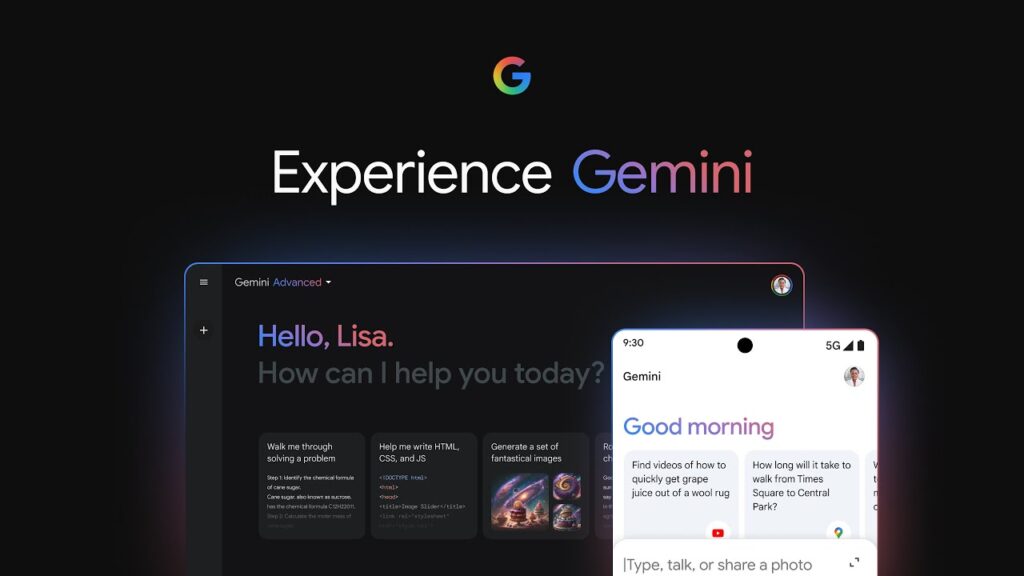
Gemini is Google’s family of multimodal AI models, available through the standalone Gemini app, embedded across Google Workspace (Gmail, Docs, Sheets, Slides), built into the Chrome browser, and offered as a developer API through Google AI Studio and Vertex AI. “Multimodal” means it can process and generate text, images, audio, video, and code within the same conversation, rather than treating each format as a separate tool bolted on afterward.
The current flagship model is Gemini 3.1 Pro, which handles the bulk of everyday reasoning, writing, and analysis tasks. Sitting alongside it is Gemini 3.6 Flash, a faster, cheaper model released on July 21, 2026, aimed at high-volume or latency-sensitive tasks like chat interfaces and coding assistants. The Flash/Pro split is Google’s way of letting users and developers trade off speed and cost against raw reasoning power, and it’s a pattern every major AI lab has converged on by now.
What makes Gemini distinct from competitors isn’t really the chat interface — it’s the depth of integration with the rest of Google’s ecosystem. If your work already lives in Gmail, Docs, and Sheets, Gemini is the only assistant that can act on that data without you copying and pasting anything.
Modes and Core Features
Standard chat. The baseline experience: text conversation, image understanding, and file uploads (PDFs, spreadsheets, images). Available for free with usage limits.
Deep Research. Gemini can autonomously browse dozens of sources, synthesize findings, and produce a structured report on a topic — useful for market research, competitive analysis, or literature reviews. This is gated behind paid tiers.
Gems. Custom, persistent chatbot personas you configure once (instructions, tone, reference files) and reuse — Google’s answer to custom GPTs. Handy for recurring tasks like drafting a specific type of email or acting as a coding reviewer with fixed conventions.
Veo video generation. Text-to-video generation is built directly into the paid tiers, letting users generate short video clips from prompts without leaving the Gemini interface.
Deep Think mode. A slower, more deliberate reasoning mode reserved for the Ultra tier, intended for harder multi-step problems where speed matters less than accuracy.
Gemini Spark. A newer, US-only agentic feature on the Ultra plans that can take actions on a user’s behalf across connected apps — closer to a digital assistant than a chatbot, though it’s still early and clearly aimed at power users rather than casual ones.
Workspace integration. Inside Gmail, Gemini can draft and summarize emails; inside Docs, it can draft, rewrite, or extend documents; inside Sheets, it can generate formulas or analyze data ranges. This is arguably the single biggest differentiator versus ChatGPT or Claude for anyone already paying for Google Workspace.
Chrome integration. Gemini can read and reason about the page you’re currently viewing in Chrome, which is useful for summarizing articles or answering questions about content without switching tabs.
Pricing: A Moving Target, Simplified
Google has renamed and re-priced its consumer AI plans more than once in the past year, which makes older reviews unreliable. Here’s the structure as it stands in July 2026:
| Plan | Price | What you get |
| Free | $0 | Gemini 3.1 Pro access with daily limits, basic chat and image features |
| Google AI Plus | $4.99/month | Off-ramp from the free tier, extra Google One storage, higher usage limits |
| Google AI Pro | $19.99/month | Full Gemini 3.1 Pro access, Deep Research, Veo video, 1M-token context window, 1,000 AI credits, 5TB storage, bundled YouTube Premium Lite |
| Google AI Ultra (5x) | $99.99/month | 5x the usage limits of Pro, 20TB storage, Gemini Spark access |
| Google AI Ultra (20x) | $199.99/month | 20x the usage limits of Pro, Deep Think mode, 35,000 AI credits |
Two things stand out here. First, Google cut its top Ultra tier from $249.99 to $199.99 and introduced the cheaper $99.99 Ultra option at its I/O 2026 event — a meaningful price drop that makes the high end more accessible than it was a year ago. Second, the $19.99 AI Pro tier (previously branded “Gemini Advanced”) is priced identically to ChatGPT Plus and Claude Pro, but includes far more cloud storage, which tips the value calculation in Google’s favor for anyone who already relies on Google Drive or Gmail.
For developers, the API is billed separately and per token. Gemini 3.1 Pro costs roughly $2 per million input tokens and $12 per million output tokens, while the newer Gemini 3.6 Flash comes in cheaper at about $1.50 input / $7.50 output per million tokens — positioned as the more cost-efficient choice for coding and high-volume applications. Google Workspace customers get Gemini bundled into Business Standard, Plus, and Enterprise seats rather than paying for it as a separate add-on, with per-seat costs varying by plan tier.
One caveat worth flagging for transparency: Google has renamed these plans enough times in the past 18 months (Gemini Advanced → Google AI Pro, for instance) that any price you read online — including this article — is worth double-checking against Google’s official subscription page before you commit to a plan.
Strengths
Ecosystem integration is genuinely unmatched. No competitor can act on your Gmail inbox or Google Sheets data as natively as Gemini can, because no competitor owns that ecosystem.
Large context window. The 1-million-token context window on Gemini 3.1 Pro means it can ingest very long documents, codebases, or transcripts in a single pass — a real advantage for research-heavy or document-heavy workflows.
Native multimodality. Video generation (Veo), image understanding, and audio handling are built into the core product rather than feeling like separate tools stitched together.
Aggressive, competitive pricing at the low end. The $4.99 Plus tier and the free tier’s generosity make Gemini one of the cheaper ways to get a capable assistant, particularly for casual users.
Fast iteration. Google is shipping new model versions (3.1 Pro, 3.6 Flash) at a pace that keeps the underlying models competitive with OpenAI and Anthropic’s latest releases.
Weaknesses
Confusing plan history. Between renamed tiers, shifting prices, and features that migrate between plans, it’s genuinely hard to know what you’re paying for without checking the fine print each time.
Conversation management is thin. Finding an old chat, organizing conversations into folders, or exporting a single thread cleanly is noticeably weaker than what ChatGPT and Claude offer natively.
Some features are US-only or in limited rollout. Gemini Spark and certain agentic capabilities aren’t globally available yet, which matters if you’re evaluating Gemini from outside the US.
Deep Think and the top Ultra tier are a steep jump. Going from $19.99 to $99.99 or $199.99 is a big leap for features that most casual and even most professional users won’t touch regularly.
Who Is Gemini Actually For?
If your daily work runs through Gmail, Docs, and Sheets, Gemini’s Workspace integration alone can justify the $19.99 AI Pro tier — you’re not just buying a chatbot, you’re buying an assistant that already sits inside the tools you use. If you need heavy research capabilities, long-document analysis, or want to generate video content without a separate tool, the AI Pro tier covers most of that ground too.
The Ultra tiers make sense mainly for developers, technical leads, or heavy AI power users who are hitting Pro’s usage caps regularly, or who specifically want Deep Think for complex, multi-step problems. For most individual users and small businesses, though, the jump to $99.99+ per month is hard to justify next to what AI Pro already provides.
If you’re outside the Google ecosystem entirely — no Gmail, no Drive, no Workspace — Gemini’s core advantage largely disappears, and the decision comes down to comparing raw model quality against ChatGPT and Claude, where the gap has narrowed considerably over the past year.
How Does Gemini Compare to ChatGPT and Claude?
It’s worth putting Gemini’s pricing and positioning side by side with its two biggest rivals, since most readers evaluating Gemini are really asking “should I switch, or add this to what I already use?”
At the entry paid tier, Google AI Pro ($19.99/month) sits at the same price point as ChatGPT Plus and Claude Pro, which makes the storage bundle (5TB) a genuine tiebreaker if storage is something you’d otherwise pay for separately. Where ChatGPT still holds an edge is in third-party plugin ecosystem maturity and raw conversation-history search; where Claude tends to be preferred is long-form writing quality and coding workflows that involve large, messy codebases. Gemini’s edge is almost entirely about environment — if your documents, email, and spreadsheets already live in Google’s ecosystem, no competitor can act on that data as directly.
At the top end, the comparison gets murkier. ChatGPT Pro and Claude Max both sit around $200/month, matching Gemini’s top Ultra tier almost exactly — at this level, the decision comes down less to price and more to which model’s reasoning style and tool integrations fit your specific workflow, which is something no pricing table can answer for you.
Frequently Asked Questions
Is Gemini free to use? Yes. The free tier gives you access to Gemini 3.1 Pro with daily usage limits, image understanding, and basic chat features — no credit card required. It’s a reasonable way to trial the assistant before committing to a paid plan.
Do I need Google AI Ultra to use Gemini seriously? No. For the overwhelming majority of individual users and small teams, Google AI Pro at $19.99/month covers Deep Research, Veo video, and the full 1M-token context window. Ultra mainly adds usage headroom and Deep Think mode, which most people won’t hit the ceiling on.
Can I use Gemini without a Google Workspace subscription? Yes, Gemini works as a standalone product through the app and website independently of Workspace. You’ll still benefit from Google One storage bundling on paid tiers, but Workspace itself is a separate purchase aimed at business email/document use.
Is the Gemini API the same price as the consumer app? No — they’re billed completely differently. The consumer app is a flat monthly subscription, while the API is metered per token (roughly $2 input / $12 output per million tokens for Gemini 3.1 Pro, cheaper for the Flash models). Developers building applications should budget based on expected token volume, not the consumer subscription price.
Comparing this against the review I could write a year ago, Gemini’s biggest shift isn’t the model quality — it’s that Google has finally made the ecosystem integration feel like the actual product, rather than an afterthought bolted onto a chatbot. The pricing restructuring at I/O 2026, particularly the cheaper Ultra entry point, also suggests Google is trying harder to compete on value rather than assuming ecosystem lock-in alone will carry it.
Where I’d still hesitate to recommend it without reservation is the plan confusion. Renaming tiers and shifting prices this often makes it genuinely difficult to give a reader a stable recommendation, and that instability itself is worth factoring into your decision — not just the feature list at any single moment in time.
Bottom line: if you live inside Google’s ecosystem, Gemini AI Pro at $19.99/month is one of the best-value AI subscriptions available right now, storage alone nearly offsetting the cost. If you’re ecosystem-agnostic, it’s worth trialling on the free tier before committing, since the real differentiator here is integration, not raw model superiority.
_________________________________________________________________________________________________________
Transparency note: This review is based on extensive research into Google’s official documentation, pricing pages, and verified reporting from technology outlets as of July 2026, rather than first-hand, long-term use of every paid tier. Pricing and features for AI products change frequently — always confirm current details on Google’s official subscription page before purchasing.