
Midjourney has a reputation for producing the most visually striking AI images around, but its pricing model confuses more people than almost any other AI tool. I dug into how it actually works, because “$10 to $120 a month” doesn’t tell you much without understanding what you’re really buying.
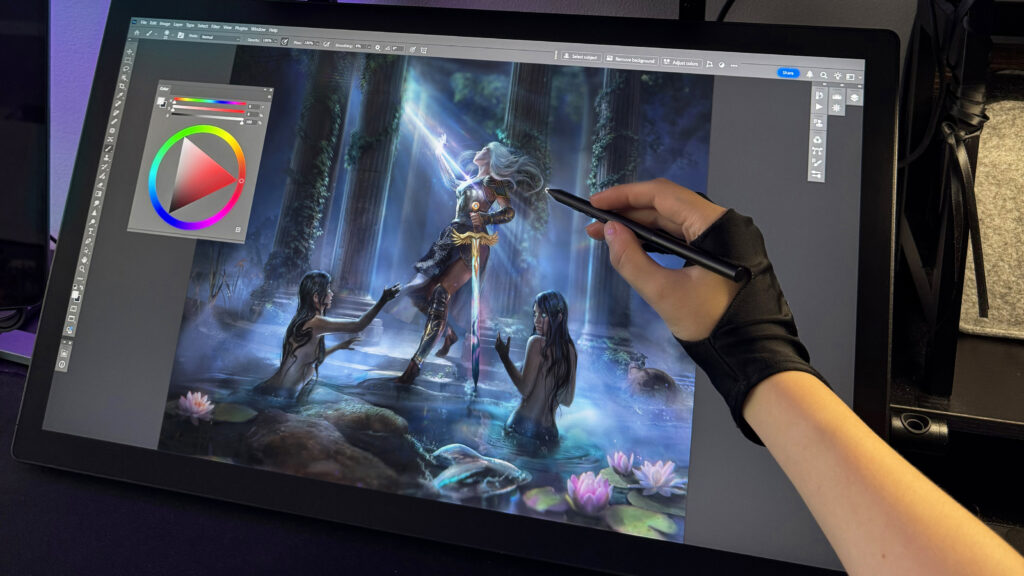
What Midjourney Actually Is
Midjourney is a subscription-only AI image generator known for photorealistic and artistic output, currently running on model version V7 (with V8.1 as a newer optional update). Unlike some competitors, it has no free plan or trial — every account requires a paid subscription from the start.
What It Actually Costs in 2026
Midjourney costs $10/month for Basic, $30/month for Standard, $60/month for Pro, and $120/month for Mega, with annual billing reducing each plan by 20%: Basic $8/month, Standard $24/month, Pro $48/month, Mega $96/month.
| Plan | Monthly | Annual (effective) | Fast GPU hours/mo |
| Basic | $10 | $8 | ~3.3 |
| Standard | $30 | $24 | ~15 |
| Pro | $60 | $48 | ~30 |
| Mega | $120 | $96 | ~60 |
Here’s the detail that catches almost everyone off guard: you’re not buying a number of images, you’re buying GPU compute time. A single still image uses roughly one GPU minute, while an HD video batch uses about 26 minutes — meaning video generation can burn through your monthly allowance many times faster than stills.
Unused Fast GPU hours expire at the end of every billing cycle and do not carry over, whether you’re on a monthly or annual plan. If you run out mid-month, extra fast hours cost $4 per hour and don’t expire, or you can switch to slower “Relax Mode” if your plan includes it.
The Plan That Actually Makes Sense for Most People
The Standard plan at $30/month is the correct choice for most Midjourney users — Basic runs out of Fast GPU hours too quickly for regular use, and Pro is only necessary if you need Stealth Mode for private client work. The jump from Basic to Standard matters more than the price difference suggests, because Standard is the first tier with unlimited (if slower) image generation once your fast hours run out.
Only step up to Pro ($60/mo) if privacy matters — Stealth Mode, which keeps your images and videos private, is only available on the Pro and Mega plans.
What’s Genuinely Good Here
- Consistently rated among the strongest tools for artistic coherence and photorealistic output
- Fast iteration once you understand prompt writing
- Frequent model updates (V7, V8.1) that keep improving detail and prompt accuracy
Where It Falls Short
- No free trial at all — the no-free-trial policy and subscription cost are the most common complaints from users, so you’re paying before you know if it fits your workflow
- The GPU-hour billing model has a real learning curve, and it’s easy to burn through Basic’s allowance in a matter of days
- There have been community reports of unexpectedly large charges on lower-tier plans — worth reading the billing terms carefully before subscribing
- Making previously public images private after upgrading to Pro requires manually re-doing it for each image, it doesn’t happen automatically
Who Should Use Which Plan
Basic ($10/mo) only makes sense for very light, occasional experimentation — expect to hit the wall within your first couple of sessions.
Standard ($30/mo) is the practical default for regular creators, marketers, and hobbyists who generate images consistently.
Pro ($60/mo) is worth it specifically for freelancers or agencies who need private, client-facing work.
Mega ($120/mo) only pays off for studio-level, high-volume video or batch work.
Bottom Line
Midjourney remains one of the strongest tools for artistic image quality, but the pricing model rewards understanding before you commit — this isn’t a “$10 gets you unlimited images” tool. For most people, Standard at $30/month is the plan that actually avoids the frustration of running dry mid-month.
Transparency note: this analysis is based on Midjourney’s official pricing documentation and independently verified user reports as of mid-2026, not the author’s direct hands-on subscription to every tier.
_________________________________________________________________________________________________________
Last updated: July 2026. Pricing and GPU-hour allowances are subject to change; always verify on Midjourney’s official plan comparison page before subscribing.